---
updatedAt: 2025-05-12T20:38:14.000Z
agentTools:
projectIndex: https://docs.vitro.io/llms.txt
---
# Provisioning
# Device Provisioning
IoT device provisioning in a very succinct manner is to add the new device onto the system (e.g. [AWS](https://docs.vitro.io/docs/aws)) and to configure them to send authenticated data to the system. In other words: you let your system know that the device exists and that data coming from it is trusted and authorized by you.
In order to trust the device, we need to authenticate it. Therefore, the device's credentials and certifications are evaluated. You can install certificates on the device before delivery, but they can also be installed by a trusted user. You can learn more [here](https://docs.aws.amazon.com/iot/latest/developerguide/iot-provision.html).
## Vitro Crystal Provisioning
When provisioning Vitro Crystal, the required credentials and certificates are generated and exchange between the device and the cloud.
> 🚧 Provisioning is performed only once for a given device.
The entire process is presented by the high-level diagram below. If you want to know more about the process, you can read about [certificates creation](https://www.websecurity.digicert.com/ssl-certificate) and [AWS Just-In-Time Registration](https://docs.aws.amazon.com/iot/latest/developerguide/auto-register-device-cert.html). To better understand the cryptographic side of things, you can read about Elliptic-curve cryptography. A good starting point is [here](https://blog.cloudflare.com/a-relatively-easy-to-understand-primer-on-elliptic-curve-cryptography/).
Vitro Crystal provisioning diagram.
As mentioned previously, these procedures can only be done by a trusted user. Thus, everything is done by a script located in a [private repository](https://github.com/VitroTech/ecc_toolkit). If you have access to the script, just follow these steps:
1. Download the [script](https://github.com/VitroTech/ecc_toolkit).
2. Connect Vitro Crystal to the local Network.
3. Obtain Vitro Crystal IP address. You can do that by logging into the device / SSH connection / Serial connection. One possible command you can use to check for the IP address is `ifconfig` or even pinging the device by using `ping vitroTV.local`.
4. Run the script:
```bash
ecc_toolkit/scripts/ecc-register-host.sh provision -a -c
```
> 📘 The available flags are DEV for development, and PROD for production.
5. Reboot the device:
```bash
reboot
```
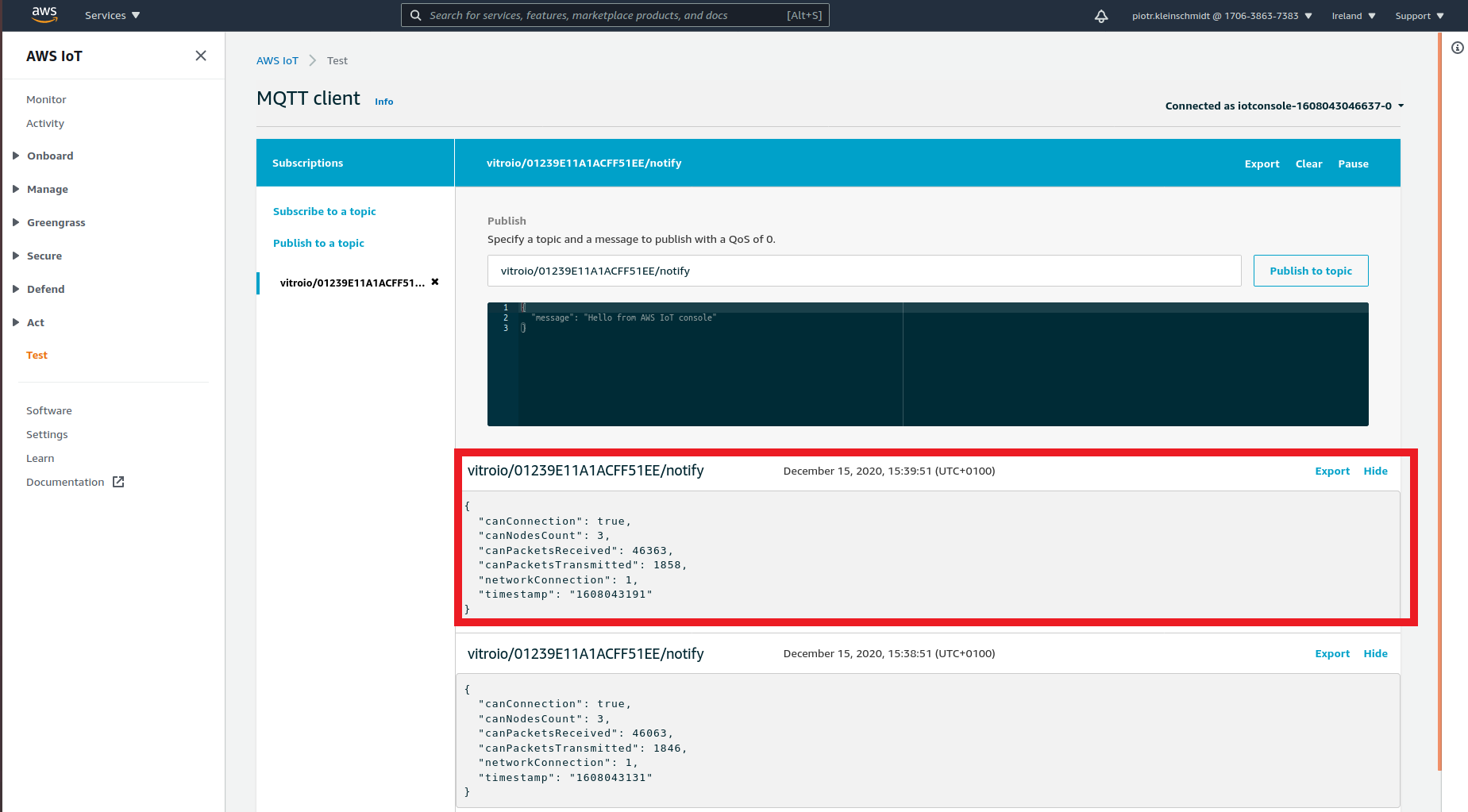
6. Check if Crystal is notifying AWS correctly. To do that, go to `console.aws.com`, under `IoT Core` service and `Tests` tab, subscribe to the following MQTT topic `vitroio//notify`. Every one minute, Vitro Crystal should notify AWS about being operational. Example output is given below.
## Vitro Shard
Vitro Shard also needs to be provisioned. To do that, you need a Vitro Crystal already provisioned and a serial connection between Vitro Crystal and Vitro Shard. Remember that **only** Vitro Crystal can be connected to the Internet. To provision Vitro Shard, please talk to an administrator.